

Summarize This Article With AI
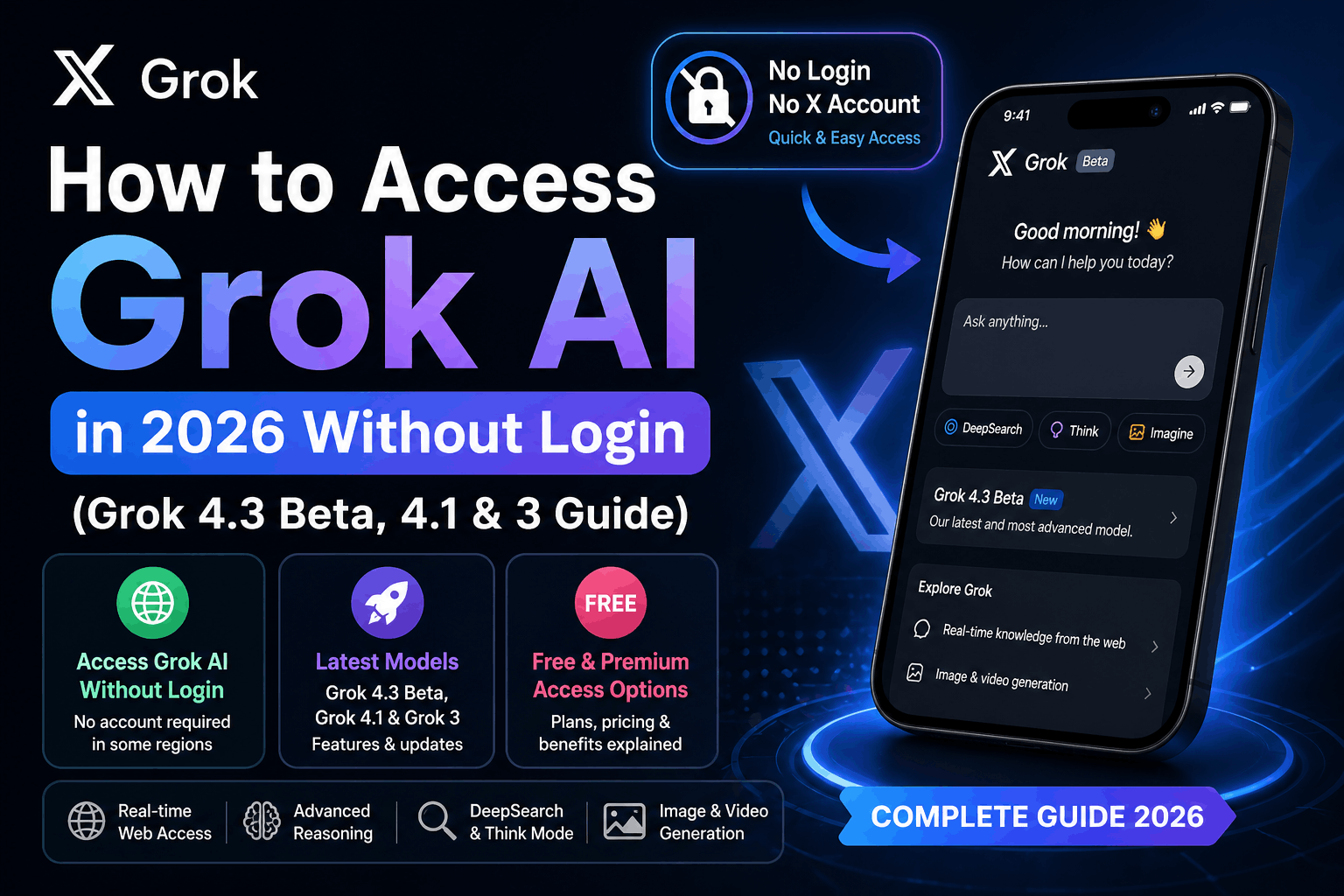
The AI platform by Elon Musk is free, and it is time you got to learn how to access Grok 3 Grok 4.3 Beta, & 4.1.
We have also given the step by step instruction on how to access xAI Grok 4.3 Beta, Grok 4.1 & Grok 3 and hacks ( In case you’re facing Grok AI login issues) in this blog. So, let’s get started!
In April 2026, the current best version from xAI is Grok 4.3 Beta, which follows Grok 4.1 and offers enhanced reasoning, web browsing, DeepSearch, and multimodal skills. Although many continue to seek out access to Grok 3, most new users are now attempting to access Grok 4.3 via X Premium+, SuperGrok or direct access to Grok.com.
What Is the Latest Version of Grok AI in 2026?
In April 2026, xAI’s latest flagship model is Grok 4.3 Beta, the latest release of the Grok 4 family. This new model follows Grok 4.1 and offers significant enhancements in sophisticated reasoning, real-time web connectivity, multimodal capabilities, and quicker response times.
Grok 4.3 Beta is targeted at users who require more advanced reasoning, integration with real-time web and X (formerly Twitter) data, as well as better AI features such as DeepSearch, Think Mode, and Grok Imagine for generating images and videos.
New in Grok 4.3 Beta:
- Better reasoning for task solving
- Up-to-date information from the web and X
- DeepSearch for in-depth research and analysis
- Think Mode for step-by-step problem solving
- Grok Imagine for image and video generation
- Improved file handling and multimodal
- Quick and accurate responses
Is Grok 4.1 Still Available?
Yes, Grok 4.1 is still readily accessible and a stable release for many users of Grok.com and X Premium+. But for those seeking the most recent features and abilities, the shift towards Grok 4.3 Beta is growing.
What About Grok 3?
Some users are still looking for Grok 3, particularly older how-to articles and resources, but Grok 3 is now considered legacy. New users in 2026 are primarily interested in Grok 4.1 or Grok 4.3 Beta for improved capabilities and features.
For accessing Grok AI in 2026, it is best to use the most recent version available, either via Grok.com, X or the Grok mobile app (depending on the region you live in and your subscription).
Current Grok Access Requirements for Grok 4.3 Beta
In April 2026, access to Grok 4.3 Beta is restricted compared to earlier models, such as Grok 3 and Grok 4.1. Grok 4.3 is now available first to xAI’s paid subscription levels, with plans to make it more widely available.
Grok 4.3 is the newest flagship model, with enhanced reasoning, DeepSearch, native video support, PDF, slide, and spreadsheet generation, and multimodal capabilities. Grok release notes say it is a new pre-trained model featuring a new architecture and a December 2025 knowledge cutoff.
Who Can Use Grok 4.3?
Currently, it is available based on your plan:
Free Users
Free users have access to some Grok features on certain platforms, but not Grok 4.3 Beta. Free users may also be limited by message or time restrictions during peak times. There were recent reports of users reaching their limit in just a few messages.
SuperGrok Standard Users
Standard SuperGrok users ($30/month) can see Grok 4.3 listed in the model selector on Grok.com, but the model is typically disabled during the beta period and can’t be used.
SuperGrok Heavy Users
At the moment, the best way to use Grok 4.3 Beta is for SuperGrok Heavy users ($300/month). This is the main method to access the new model in early access (web, iOS, Android apps).
X Premium+ Users
It’s easy to think that X Premium+ gives access to Grok 4.3, but this isn’t necessarily true. In most cases, X Premium+ provides access to previous versions of Grok and basic Grok features, but access to the Grok 4.3 Beta is reserved for the more expensive SuperGrok Heavy plan, not X subscriptions.
Do You Need an X Account for Grok 4.3?
Yes – many people can now access Grok via Grok.com, depending on region and subscription status. So you may not always require a full X (Twitter) account to access Grok, particularly via the Grok.com web-only version.
But some login processes still require X authentication, based on rollout region and account type, hence the continued search for Grok AI without X account options.
Regional Availability
Grok availability can vary by:
- country restrictions
- mobile app rollout
- subscription availability
- server load and user caps
Some users may see:
- “High Demand” errors
- “Limit Reached” warnings
- temporary login restrictions
This is particularly the case with new model releases such as Grok 4.3 Beta.
Also Read: What Does the Yellow Heart Emoji Mean on Snapchat?
Best Way to Access Grok 4.3 Beta for Most People
Best Option for Simplicity in 2026:
Best Option for Latest Features
→ SuperGrok Heavy (for Grok 4.3 Beta)
Best Budget Option
→ Basic SuperGrok (for Grok 4.1 + phased 4.3)
Best Free Option
→ Free Grok access via Grok.com or X (depending on availability)
If you’re an AI enthusiast and want the latest features, Grok 4.3 Beta is the most advanced version currently, but it still has limited access compared to Grok 4.1 and Grok 3.
How to Access Grok AI Login
Logging into Grok AI in 2026 is more convenient than ever as users can now access the tool via both Grok.com and X (formerly Twitter), depending on the plan and country.
If you are attempting to access the latest version, such as Grok 4.3 Beta, you may need to access the AI through different channels, depending on whether you have a free account, X Premium+, or SuperGrok subscription.
Option 1: Access Grok.com
The most convenient way to access Grok AI is via the website:
- Step 1: Visit Grok.com
- Step 2: Click on the Login or Sign In button
- Step 3: Log in with your X account or email (if available in your region)
- Step 4: Choose your Grok version (Grok 4.1, Grok 4.3 Beta, or available version)
- Step 5: Use Grok for chat, DeepSearch, search, image generation, etc.
This is the recommended way to access Grok for users who want to access it in the browser without the X mobile app.
Option 2: Login via X (Twitter)
If you want to access Grok within X, you can do so.
- Step 1: Launch the X app or website
- Step 2: Sign in to X
- Step 3: Go to the Grok tab or AI section
- Step 4: Subscribe to X Premium+ or other subscription if needed
- Step 5: Use Grok within the X app
This is typical for those with X Premium+.
Option 3: Login via the Grok App
The Grok app is also available on iOS and Android devices.
- Step 1: Install the Grok app from the App Store or Google Play
- Step 2: Launch the app and log in
- Step 3: Confirm subscription (if applicable)
- Step 4: Select your model and use Grok AI
This is perfect for those who want to use Grok while travelling.
Common Grok Login Issues
Some users may face problems like:
- Login button not working
- X authentication errors
- High demand server messages
- Subscription not unlocking access
- Region-based restrictions
If this happens:
- clear browser cache
- access Grok.com directly
- check your subscription plan
- see if Grok 4.3 Beta is available in your country
A lot of problems with logging in are due to the staggered rollout of Grok 4.3 Beta.
Can You Access Grok AI Without an X Account?
Yes – you can now use Grok AI without a full X account, particularly on Grok.com where xAI is making standalone access to Grok possible beyond the X platform.
This is a major shift in 2026 and a key factor in why people are looking for Grok AI without X account.
Direct Access Through Grok.com
Some users can register via Grok.com with:
- email-based access
- linked authentication
- standalone account creation (depending on country)
So you may not be required to have a regular X (Twitter) account to use Grok.
When an X Account Is Still Required
X login will still be required for:
- X Premium+ subscriptions
- account verification
- older access flows
- specific regional rollouts
- some mobile app authentication settings
This varies by country, depending on xAI’s setup.
How to Try Grok Without X
The easiest way is:
Visit Grok.com First
If you live in a region where Grok is available, you might be able to use Grok without creating and maintaining an X account.
Otherwise, you may be redirected to X.
Can I Use Grok 4.3 Without X?
Typically, Grok 4.3 Beta still requires a premium subscription (SuperGrok or SuperGrok Heavy) but it may be accessed through Grok.com, rather than X.
So you can technically use Grok without using X every day – but premium access is often tied to your account.
Pro tips:
If you just want to access the AI tool without social media, try Grok.com rather than X.
This maximises your chance of accessing Grok AI without a full X account, particularly if you are using Grok for research, DeepSearch and business use of AI, rather than the X platform itself.
What Is Grok 4,1 and 3 AI?
We shall firstly consider what Grok 3 AI is about before we delve into how to get into Grok 3. Grok 3 AI model is a high-tech AI chatbot created by the company of Elon Musk and is capable of helping with most tasks.
You have a math problem that you are having trouble with, you need to brainstorm about some ideas on a project, or you just feel like chatting, run Grok 3 locally to get some assistance. According to the recent announcement of the company, Grok 3 AI model is now free of charge and this is a big news since it could be previously accessible only with a subscription.
This action will render Grok 3 usable by many millions of users, and the possibilities are boundless.
Grok AI free does not only have casual promptings. It is installed with advanced functions such as DeepSearch mode to do a detailed research and Think mode to solve problems.

All users can access these features although they may be limited to some degree to free users. To access full potential of Grok 3, you can subscribe to the plans such as X Premium+ or SuperGrok which we will discuss later.
Now that you have known what Grok 3 is, you are ready to read something interesting, which is, how to access Grok 3.
How to Access Grok 3 and Grok 4.1?
It is like sugary pie to access Grok 3. The following is a step-by-step instruction about opening Grok 3:
Introduction of step 1, we will log in to an X account (assuming you are an X user).
In case you already have an X account please visit the website of X or open the X app on your phone and log in. Here’s how to access Grok 3 on X:
• Visit X or install the X application in the App Store or Google Play store.
Grok AI Login: Use the credentials to log in to your account.
That’s it! You have completed the first part of how to evaluate Grok 3 AI.
Step 2: Find the Grok Section
After the log-in, you have to locate the Grok section on X. This may be a sort of discovery of a buried treasure, yet there it is! Here are the locations depending on your device:
• On the X Website: Find a tab or a menu item called Grok or AI Chat. It may be in the sidebar or in a menu called More.
On the X App: In the main menu or navigation bar of the app, look for a Grok icon or a Grok link. It could also be in the form of a new tab or section.
You do not have to see it immediately, just relax. Grok 3 continues to be rolled out, and thus it may take some time before the feature is visible in your account. Another option for you is to install the latest version of your X app and make sure that you are using the newest features.
Step 3: Start Chatting!
Once you have located the Grok section, then you should also select it, and your new xAI Grok 3 AI companion will be ready to meet you. It is as though you have a window to unlimited possibilities! The AI model Grok 3 can be immediately chatted with. The following are some of the things you can attempt:
“What is 12 × 4 – 8?”
“Can you research the impact of electric vehicles on the environment?”
Grok 3 is programmed to be friendly and interacting, so do not hesitate- ask it any questions! These questions will make you understand how to reach Grok 3.
Accessing Grok 3 AI Free (Not an X user)?
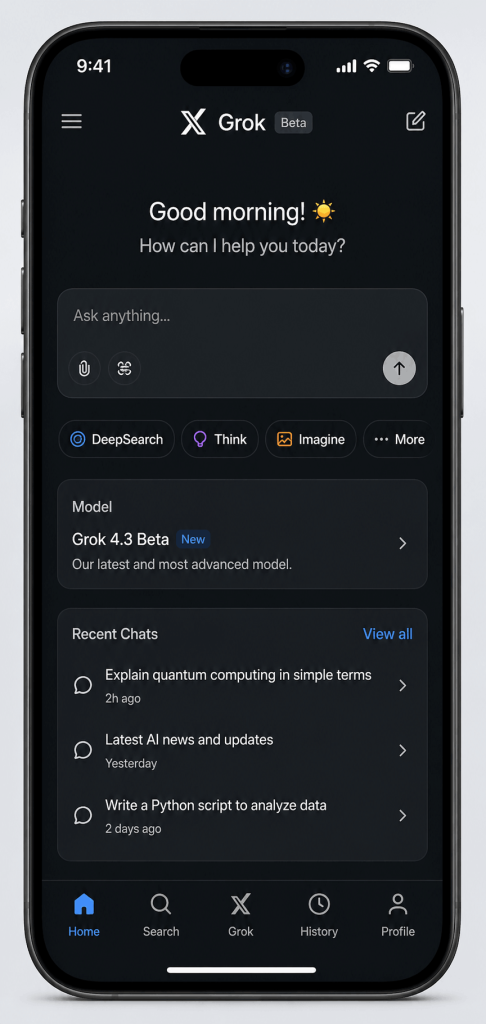
Nothing to worry about, all right. All you have to do is to follow the following instructions and you will know how to open Grok 3 on the device of your choice:
• Go to xAI’s website.
The option of the Grok will be on the upper left corner. Click on it.
• A new page will open. Tap on the “try now” option.
The chat page will be opened, and there you can create an account with the help of your Google account.
And ta-da! You have learned how to open Grok 3 free of charge. You can also download the Grok AI app at no cost on your iPhone or Android in case you want to use the app version.
Grok AI Subscription Plans and Pricing.
Grok AI provides three levels of subscriptions that are aimed at satisfying the needs of various users, such as basic experimentation and advanced AI research and productivity.

The Free plan is limited in terms of context memory and the use of chat models, however, it offers the voice access, tasks, and the Aurora image model, which is the best model to use by new users learning the platform.
To be more powerful and flexible, the SuperGrok plan, which costs 700/month, will have more access to Grok 4.1 and Grok 3, an extended memory of up to 128,000 tokens, priority access to voice, Imagine image generation, and AI companions such as Ani and Valentine. This plan is identified as the most favored among the common creators and professionals.
On the highest level, SuperGrok Heavy, costing $300/month, gives access to Grok 4 Heavy, unlimited access to Grok 3 and Grok 4.1, and remembrance of the longest available memory, 256,000 tokens, which is ideal in advanced research, large projects, and alpha development. Each plan will be scaled according to your needs and users will have an opportunity to select the optimal combination of power and price.
Grok AI Login Issues? This is How to Mend the Underground Problems.
Only to find out how to use Grok 3 AI free when you were about to learn it, did you get caught by the problems with logging in? It can be quite frustrating. No worries, here are some of the possible issues with the logins and possible solutions to them. Check them out!
Issue 1: No X Account
It used to be a problem until recently when you can access Grok 3 AI without X account. Go straight to the download of the app or go to the site of xAI and rent it.
Issue 2: Lost Username or Password.
It has happened to all of us when we are looking at a login page and we cannot recall our user name and password. In case you have lost your username or password, then the following are the steps:
- On the login page of X, click on the Forgot Password button.
- Go through the instructions on how to change your password. You will probably be required to enter your email address or phone number with your account.
- Look in the email or phone to find a password reset link or a password reset code and then follow the process.
- In case you forget your user name, go ahead and use your e-mail address or phone number instead.
After resetting your credentials, restart logging in. Problem solved!
Matter 3: Subscription Muddiness.
In case you are attempting to know how to utilize Grok unlimited with premium features and are not subscribed to the appropriate plan, you may experience troubles. Here’s how to fix it:
- Review your X account to determine whether you subscribe to SuperGrok or SuperGrok Heavy.
If you are not subscribed, choose what plan you would like to join and follow the instructions.
- In case this has not worked yet and you have already been subscribed, check whether your payment details have been updated, and that your subscription is valid.
You can call the support team of X in case you are still experiencing problems.
Issue 4: Regional Restrictions.
Grok 3 is being launched all over the world, although it may not be accessible everywhere immediately. In case you are still wondering how to reach Grok 3, then it may be that this is because of regional constraints. Here’s what to do:
- Official blog or support site of Check X, where they update on the availability of Grok 3 in your area.
- Look out for news of xAI or X- they may bring out Grok 3 in your area in the near future.
Meanwhile, you may use other AI chatbots or tools as you wait.
The wait is well rewarded- Grok 3 is worth the wait!
Issue 5: Technical Glitches
Technical hiccups may sometimes come between Grok 3 AI free access. In case you receive error messages or the app is not functioning correctly, the following solutions can be suggested:
- Update Your X App: The X app should be updated with the newest version. Visit the App Store or Google Play Store and update.
- Clear Your Browser Cache: On a web browser that you use, clear your cash and cookies. This would assist in solving loading problems.
- Reboot Your Computer: Sometimes a reboot will resolve any small glitches.
- Check Your Internet Connection: It is important to ensure that you are connected to a stable internet network.
When everything does not work, breathe deeply and restart later- the AI is not going anywhere!
Making the Most of Grok 3 AI
Having learned how to access Grok 3 and how to solve problems with logging in, it is time to discuss the way of opening Grok 3 and maximizing the use of this incredible AI. The following are some of the tips that will enable you to start:
How to Use Grok 3 and 4.1 AI (With Prompts) Smartly.
Grok 3 is not a simple chat application, it is a potent AI assistant capable of assisting in learning, research, creativity, and problem-solving. Some of its effective uses are presented below:
Puzzles & Brain Teasers
To exercise its reasoning capabilities, Challenge Grok 3 has riddles or logical puzzles.
Try asking:
I do not speak with a mouth, and I do not hear with ears. What am I?” (Hint: It’s an echo!)
Research & DeepSearch Mode
Allow Grok 3 to search the web with DeepSearch and gather adequate information and understanding.
Try asking:
“Locate the latest data regarding renewable energy development in the world.
Overview latest trends in artificial intelligence in 2025.
Learning Complex Concepts
Simplify challenging courses or homework subjects in step-by-step breakdowns with Grok 3.
Try asking:
Explain the operations of the human respiratory system step by step.
Creativity & Content Ideas
Brainstorming concepts, taglines, scripts, captions, stories and so on with Grok 3.
Try asking:
Provide innovative ideas of slogans of a new product brand that is eco-friendly.
Grok 3 can make you think better and work smarter whether you are solving puzzles, doing research, learning something complicated, or creating creative projects. To understand how much insight can be provided in it, you can experiment with the various modes such as Think Mode and DeepSearch.
Conclusion
Hopefully, this blog has assisted you to know how to access Grok 3.
The free access of Grok AI is a game changer to everyone. It is also a good opportunity to know how to open Grok 3 and utilize it to the fullest. The Grok 3 AI model can provide you with assistance in your homework, research, and even chatting, so there is something you will find interesting. All you need to do is to follow the steps in this guide and get to know how to access Grok 3, troubleshoot any problems with logging in, and begin exploring its marvelous features. Keep in mind that tech hiccups occur, but with patience and perseverance, you will be conversing with Grok 3 in the nearest future. So, what are you waiting for? Plunge into the world of the smartest AI and find out what it is today.
Have More Interested in Grok 3 AI?
Here we have just touched the surface. Want to know everything Grok 3 is actually capable of doing, both what is new, how it compares to its predecessors, and why the world is listening, you should miss not our complete guide:
Grok 3 AI: What is New and How It is Different to the Newer Versions.
And even to think that Grok 3 was advanced, here is the punch line; the most recent release was actually Grok 4.1, which came out in November 2025, with significant improvements to reasoning, emotional intelligence and reliability.
And the great question everybody keeps on asking…
Does Elon Musk really support Grok?
The solution may not be what you thought it was – and it is in the entire article.
Bookmark this page, or subscribe now, so you can be sure of future updates, new features, and practical experiments with Grok AI.
Why Indian SEO Agency Leads the AI SEO Revolution
We are the top AI SEO and LLM Optimization company in India and we believe in making sure that your search visibility is future-proofed with the help of machine learning, automation, and data-driven solutions. At Indian SEO Agency, our team of professionals assists brands to achieve the highest visibility on the next-generation AI search engines such as Google Gemini, ChatGPT, Bing Copilot, and AI Overviews. With search becoming an AI-based ecosystem, you will be guaranteed to stay ahead of the competition through smarter optimization and quantifiable growth.
FAQs – How to Access Grok 3/4.1 AI
1. What is Grok 4.3 Beta?
Grok 4.3 Beta is xAI’s latest flagship AI model in 2026. It follows Grok 4.1 and provides enhanced reasoning, quicker responses, access to live web and X data, DeepSearch, Think Mode, and enhanced multimodal features for research, image generation and complex problem solving.
2. Can I use Grok 4.3 Beta for free?
No, Grok 4.3 Beta is not free. The new model is typically only available to users with a paid plan like SuperGrok or SuperGrok Heavy. At most, free users will have access to older Grok models on some platforms.
3. Do I need an X account to access Grok 4.3 Beta?
Yes, depending on your location you can use Grok 4.3 Beta on Grok.com without needing a full X (Twitter) account. But some login options and premium accounts may still require X login depending on your account and region.
4. Is a subscription required to use Grok 3 or Grok 4.1 AI?
Yes, Grok has various subscription packages such as Free, SuperGrok and SuperGrok Heavy. The basic features are free, whereas the advanced functions such as Grok 4.1 are upgraded as paid.
5. Where can I access Grok AI?
Grok AI can be accessed either on the official xAI platform with the use of x.com (previously Twitter) or through the special web interface provided to subscribed users.
6. Is Grok 4.1 available worldwide?
At this point, Grok might be regionally different. The recent releases such as Grok 4.1 are being introduced in stages beginning with the individual countries. The international growth is anticipated in the near future.
7. Is there a distinction between Grok 3 and Grok 4.1?
Grok 4.1 has much better reasoning capability, context memory, accuracy, DeepSearch, and complex task support than Grok 3.
8. Is Grok AI applicable in research and creative work?
Absolutely. The DeepSearch mode of Grok would be the best mode when one requires research and detailed reports whereas the ThinkMode and creative tools would be suitable in brainstorming, writing and project development.
Also Read:
SEO for Locksmiths: Get More Calls & Grow Your Business
SEO for Dentists: How to Increase Ranking and Get More Patients