

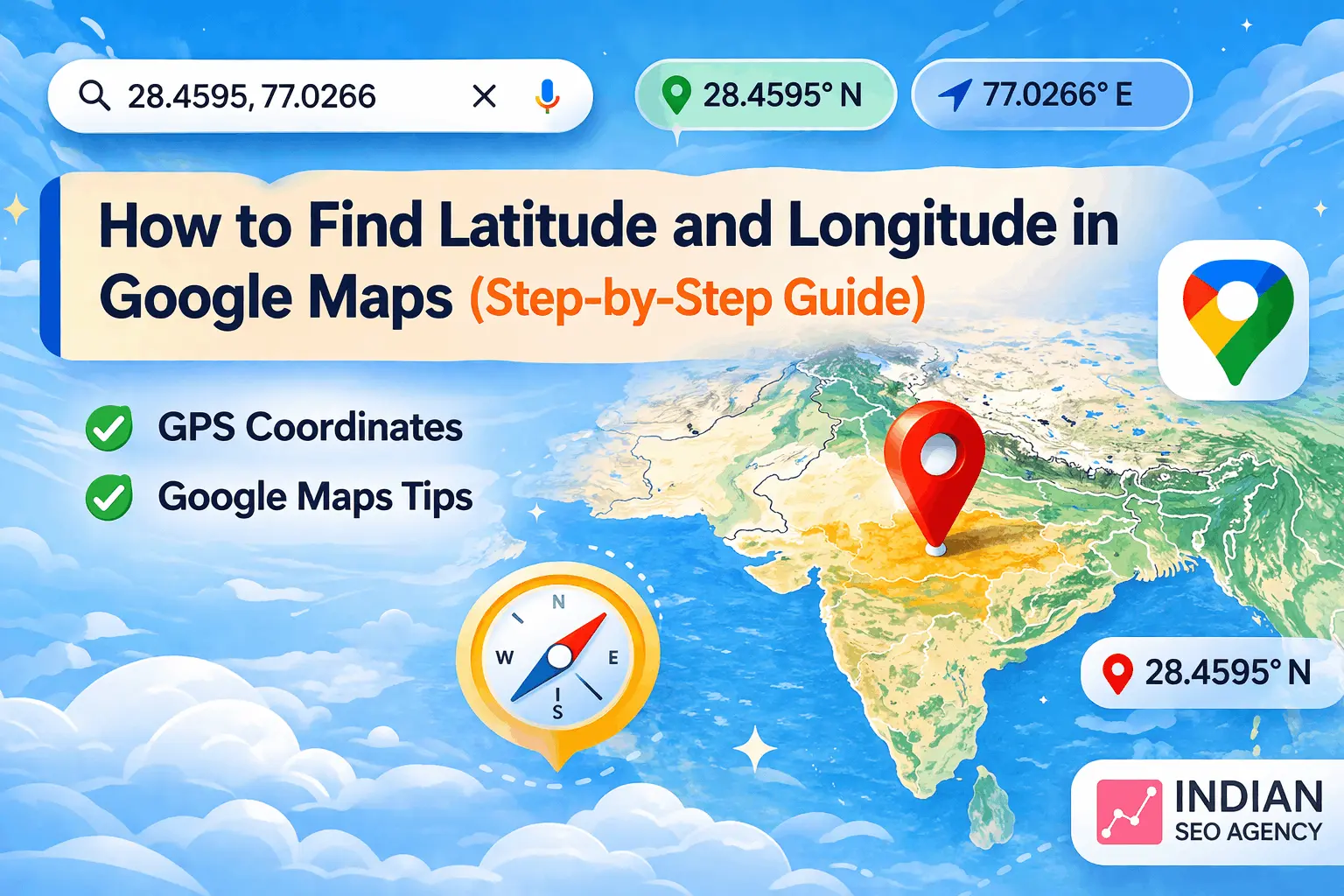
Quick Answer
To find latitude and longitude in Google Maps, right-click on any location (desktop) or tap and hold to drop a pin (mobile). The coordinates will appear instantly in the search bar or menu, which you can copy and use.
Want a Quick Summary?
Get ChatGPT to summarize this article for you in seconds.
What is Latitude and Longitude?
Geographic coordinates are used to determine a specific position on the earth with the help of Latitude and longitude.
Latitude → North–South position
Longitude → East–West position
Example:
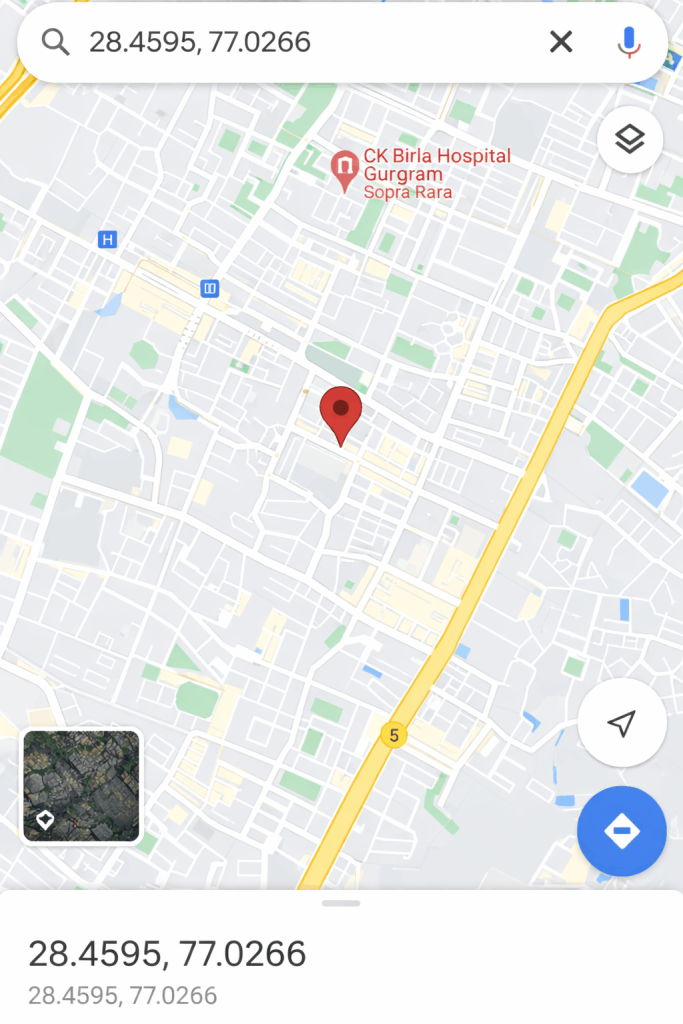
28.4595, 77.0266 (Gurgaon, India)
These GPS coordinates have extensive use in:
- Google Maps navigation
- Location tracking
- Local SEO & business listings
- Logistics and delivery systems.
Latitude and Longitude: Why It Matters.
Addresses are not as accurate as using precise map location coordinates.
Real-World Use Cases:
- Precise drop location delivery business.
- Local SEO optimization for Google Business Profile
- Travel & trekking navigation
- Multi location business management.
- Location-based marketing campaigns
In the case of businesses, geo location data can enhance their presence in local search results.
How to Find Latitude and Longitude in Google Maps (Desktop)
You can find latitude and longitude in Google Maps by dropping a pin or right-clicking on any location. The coordinates will appear instantly and can be copied for navigation or SEO use.
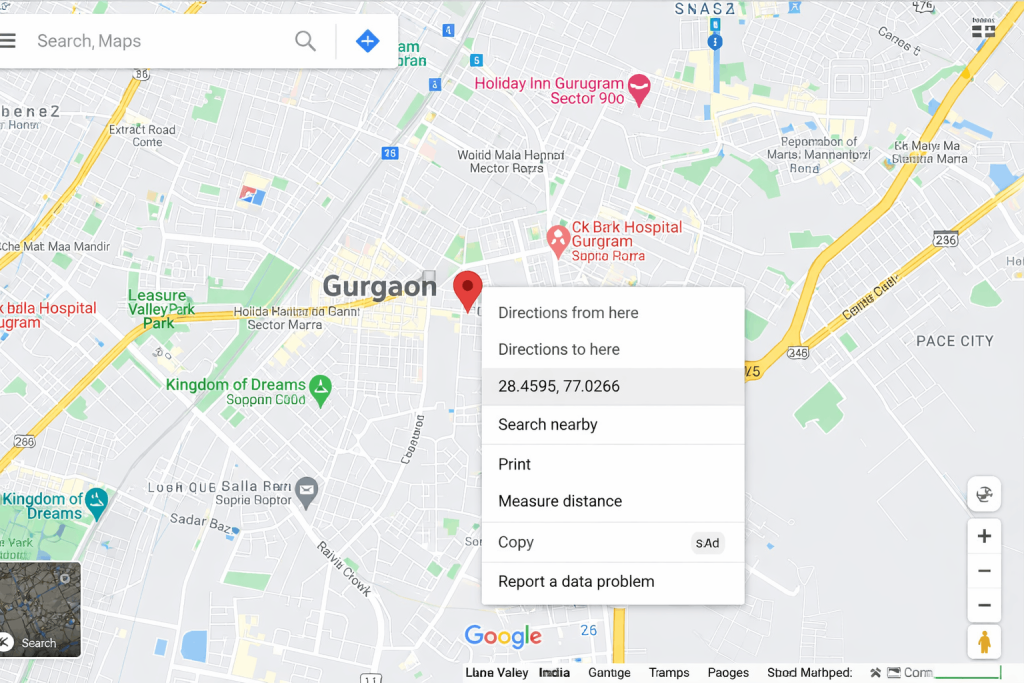
Step to Find Latitude and Longitude in Google Maps (Desktop):
- Open Google Maps in your browser
- Find a place or zoom in or out.
- Click on the precise position with the right-hand button.
- Click the coordinates in the top.
- Automatic copying of coordinates will be done.
Example format:
28.4595, 77.0266
How to Get Latitude and Longitude on Android
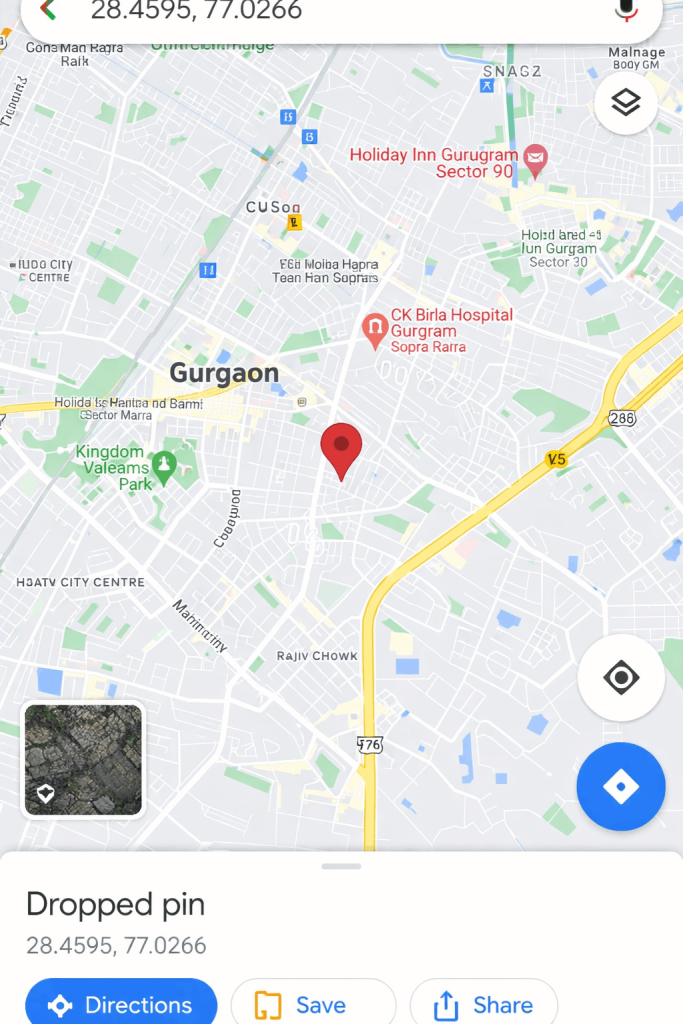
Steps to Get Latitude and Longitude on Android:
- Open Google Maps application.
- Find or go to your place.
- Tapping and holding a pin to drop.
- The coordinates are shown in the search box.
How to Find Coordinates on iPhone
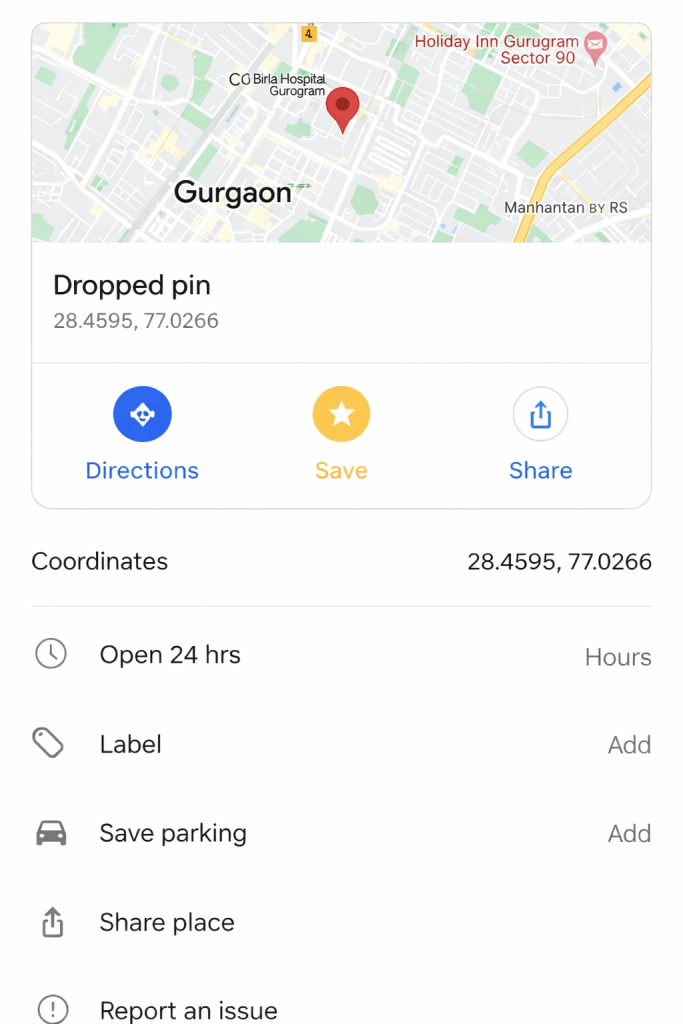
Steps to Find Coordinates on iPhone:
- Open Google Maps
- Tapping and holding a pin will drop it.
- Tap the location details panel
- Scroll to get coordinates.
How to add Latitude/Longitude in Google Maps.
An address is also not necessary, and you can search with GPS coordinates.
Supported Formats:
- Decimal Degrees (DD)
28.4595, 77.0266 - Degrees, Minutes, Seconds (DMS).
28°27’34.2″N 77°1’35.8″E - Degrees & Decimal Minutes (DDM)
28 27.57, 77 1.597
Steps to add Latitude/Longitude in Google Maps
Open Google Maps
- Input coordinates in search box.
- map on press search will zoom to specific location.
Advanced Uses of Latitude and Longitude (SEO + Business)
This is where you beat competitors:
1. Local SEO Optimization
- Make use of coordinates in Google Business Profile (GMB).
- Make sure of proper location targeting.
- Helps enhance local ratings.
Proper latitude and longitude in your Google Business Profile will ensure that search engines accurately locate your business. This enhances local search results, is more visible on the map, and has a higher likelihood of inclusion in the near me searches and local packs.
2. Delivery & Logistics Accuracy
- Avoid wrong addresses
- Provide drivers with specific drop points.
Addresses are always left out or erroneous, thereby confusing. The use of coordinates eliminates this confusion. Companies can provide precise drop-off locations to delivery staff, minimize wait times, enhance customer experience, and guarantee quicker and more efficient logistics activities, particularly in localities with vague or convoluted address systems.
3. Google Sheets & Data Usage.
- Store coordinates of various locations.
- Evaluate geo-performance of campaigns.
By saving latitude and longitude in applications such as Google Sheets, businesses can easily operate various places. It also assists in analyzing the performance based on location, monitoring campaign performance by region, and making data-driven decisions on how to achieve improved targeting and optimization strategies.
4. Travel & Adventure Navigation
- Share precise trekking or far-off destinations.
- Use in GPS devices
- Some of the most common errors.
- Passing over longitude and then latitude.
To the traveller and the adventure explorer, the use of coordinates is unsurpassed in navigating remote or unmapped locations. They enable the users to share the precise locations, they do not get lost and they are safe when using GPS devices or mapping applications in new landscapes.
Common Mistakes to Avoid
- Using wrong format
- Dropping pin inaccurately
Among the most frequent errors are entering longitude first and then latitude, causing the wrong positions on the map. Always use the standard format (latitude, longitude) and cross-check coordinates to prevent errors in navigation or wrong position of business.
Always use:
Latitude, then longitude.
Pro Tips for Better Accuracy
- Before pin-dropping, zoom in.
- Match co-ordinates in a different map.
- Simplify by using decimal format.
- Store coordinates to be used later.
How Businesses Use Coordinates for Growth
Latitude and longitude coordinates are used in smart businesses to:
- Local SEO services optimization
- Competitor location analysis
- Accurate map listings
- Hyperlocal targeting
This is an important aspect of location based marketing.
Need Help with Local SEO?
To enhance your business presence on Google Maps, with geo-location strategies, you can:
Optimize Google Business Profile.
Get better rankings at a location.
Conclusion
Learning to locate latitude and longitude using Google Maps is an easy but effective talent that enhances precision in navigation, business, and location-based strategies. Regardless of whether you deal with Google Maps coordinates to travel, deliver, or local SEO optimization, the accuracy of geo-location data can guarantee higher results and reduce the number of mistakes.
GPS coordinates can be easily accessed and used on various platforms by the right techniques of pin-dropping, right-clicking on the desktop or typing coordinates. To businesses, particularly, the ability to use the correct coordinates of map location can increase visibility, reach more customers, and boost local search services.
Begin using these methods now to have smarter navigation, more accurate data and a location-optimized business.
FAQs:
1. Am I able to locate latitude and longitude without an address?
Yes, simply drop a pin on Google Maps to get the precise coordinates.
2. What is the reason that Google Maps displays latitude at the beginning?
Since latitude is the position in the north south direction, which is the standard form.
3. Are Google Maps positions correct?
Yes, they are very precise and can be used in navigation, SEO, and logistics.
4. Which is the optimal coordinate format?
The most commonly used and the simplest format is Decimal Degrees (DD).
5. Does it support coordinates in other tools?
Yes, they do GPS devices, analytics tools and mapping software.
Read More: